
Planning & review

How to capture ideas on the go (and actually use them)

Good ideas do not wait for your desk. How to catch a thought in the seconds it is alive, without sorting anything in the moment, and the half everyone skips: the regular pull that turns a pile of captures into a plan.

Aleem O'BalogunBy Aleem O'Balogun|Updated |6 min read

The short answer

To capture ideas on the go, make catching a single thought effortless in the moment and leave all sorting for later. The best ideas arrive away from your desk, so you need one fast place you trust with everything, and a regular time (usually when you plan the week) when what you caught turns into action.

Steps

  1. 1

    Pick one place and stop auditioning

    The system is only trustworthy if it is singular: one place every stray thought goes, no matter what kind of thought it is. Notes app, paper card, voice memo, whichever you will actually use one-handed on a moving bus. Two capture places is a decision at the worst possible moment; one is a reflex.

  2. 2

    Capture in seconds, sort never (in the moment)

    The thought is alive for about half a minute, so the capture has to cost less than that: the raw sentence, unfiled, untagged, uncategorised. Every second of in-the-moment organising raises the price of capturing until you stop doing it. The pile is allowed to be a mess; that is the next step's job.

  3. 3

    Give the pile a regular pull

    Unprocessed captures are just a diary of things you once meant to do. Set one recurring moment, for most people the weekly planning session, when the pile gets emptied: each capture becomes a task, a calendar block, a note where it belongs, or a conscious deletion.

  4. 4

    Let the good ones reach the week

    The point of catching ideas is not keeping them; it is that the best ones become time. When the pull runs weekly, the book recommendation becomes a queue entry, the studio idea becomes a block, the errand joins Thursday. Capture feeds the plan, and the plan is where ideas stop being ideas.

Good ideas keep terrible office hours

The observation is old and still true: the thought you need shows up in the shower, on the platform, mid-run, halfway through someone else's sentence. Never at the desk, where the tools are. And working memory is a terrible custodian: hold a thought while doing anything else and it degrades in minutes, which is why the brilliant Tuesday idea is a vague shape by Wednesday and gone by the weekend.

The standing fix is a capture habit: a way to get the thought out of your head and into somewhere durable in less time than it takes to lose it. This is the notice loop's first verb, and it is deliberately the easiest one: you are not evaluating, organising, or committing to anything. You are just refusing to let the thought pay rent in your head or vanish from it.
Frictionless means one place, one motion

Every capture system dies the same death: friction creeps in until the moment passes before the capture starts. The phone wants a folder chosen. The app wants a category. You want to write it properly. Each is a small tax, and the sum is a system you quietly stop using by March. So design for the worst moment, not the best: one place, one motion, zero decisions, usable with cold hands and thirty seconds.

That singularity matters more than the tool. A notes app you always use beats a perfect system you sometimes use; a voice memo you can start without looking beats a beautifully filed note you never start. And give yourself explicit permission for the pile to be ugly: capture quality is measured at the other end, by what survives into the week, not by how the inbox looks.

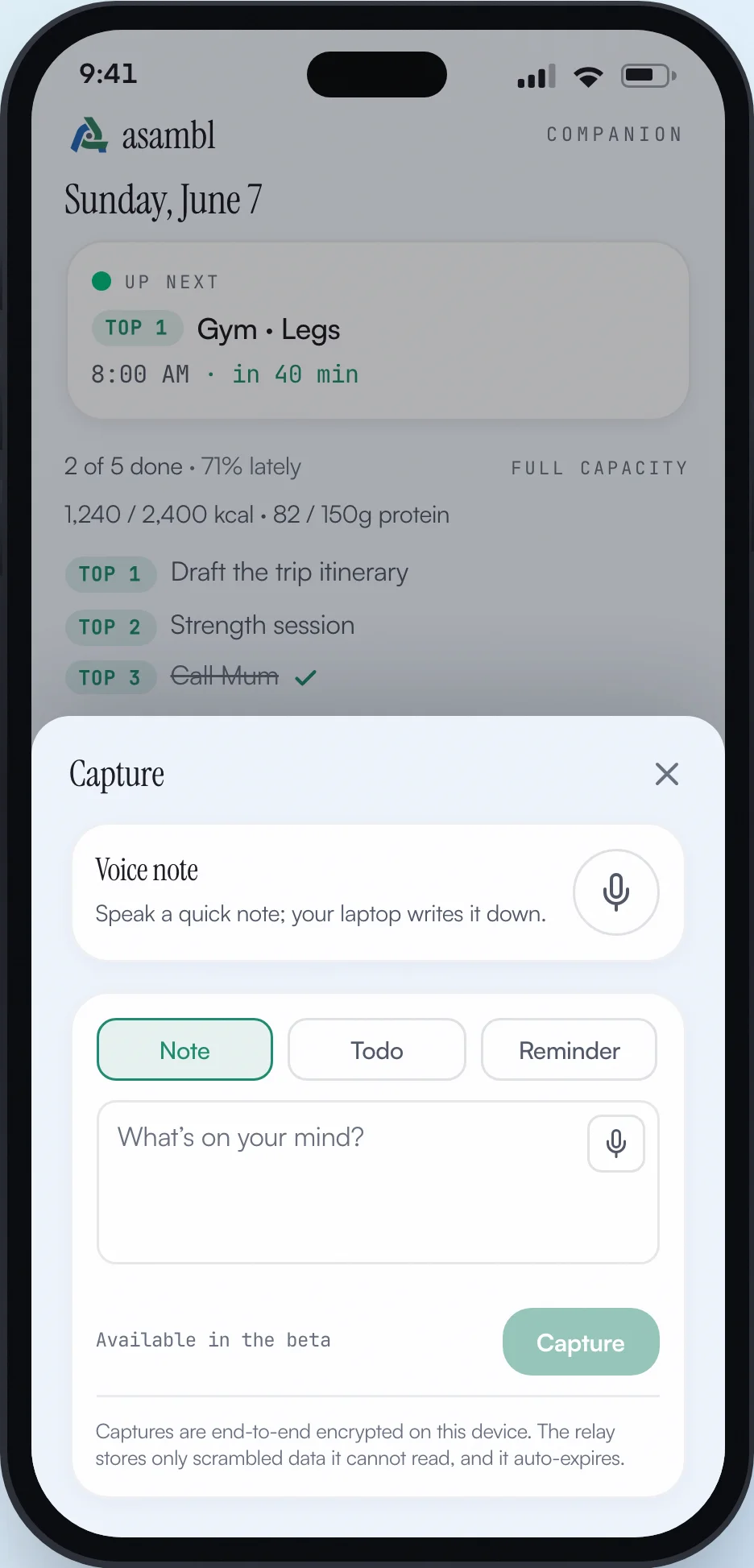
The asambl Companion's capture sheet open on a phone: a voice-note row, Note, Todo and Reminder modes, a free-text composer asking what is on your mind, and a Capture button.
One tap from anywhere: note, todo, reminder, or voice, sorted later, at the desk.

The half everyone skips: the pull

Capture alone is hoarding with better tools. The pile only earns its keep if something regularly happens to it, and that something works best as an appointment rather than an intention: one recurring moment when every capture gets a verdict. A task, a calendar block, a note filed where it belongs, an entry on the reading queue or the gift list, or a deliberate delete. Deleting freely is half the trick: a capture that stops looking interesting a week later was a thought, not a commitment, and clearing it is the system working.

For most people the natural pull is the weekly planning session, with a skim midweek if the pile runs hot. The rhythm matters more than the frequency: captures that reliably get read tomorrow-ish teach your brain the place is safe, and the noticing gets sharper. Captures that visibly rot teach it the opposite, and the whole habit unwinds. This weekly emptying also does quietly what a brain dump does loudly: if you catch things all week, the big desk-bound sweep finds far less to sweep.

The ways capture systems fail

Five patterns account for most abandoned systems:

  • The scattered inboxes
    • thoughts split across four apps, two notebooks and a chat with yourself. Each place is plausible
    • the sum is nowhere. One place, always
  • The sorting tax: filing, tagging and titling at capture time. Every added second costs captures. Organising is the pull's job, not the moment's
  • The write-it-later: trusting a thought to survive until the desk. It will not. Thirty seconds now or it is gone, and you will not know what you lost
  • The rotting pile: capturing faithfully into a place nothing ever reads. Once you stop trusting the pull, you stop bothering with the catch
  • The perfect-system hunt: rebuilding the setup instead of using it. The tool matters far less than the habit. Pick, run, resist the migration

From a pocket to the plan, without a middleman

This is the workflow the asambl Companion exists for: it is the phone-sized capture end of the desktop app, not a product of its own. One tap opens the sheet, and a note, todo, reminder, or voice memo goes in exactly as it occurred to you, unfiled and unsorted. Photos work too, and the whole capture is end-to-end encrypted between your phone and your linked desktop on its way home.

Everything you catch lands in the inbox beside the week you plan, which is what makes the pull automatic rather than another discipline: the captures are already sitting where planning happens. Come the weekly session, the book recommendation joins the reading queue, the idea becomes a block, the errand finds its day, and the pile is empty without a separate emptying ritual ever being scheduled.

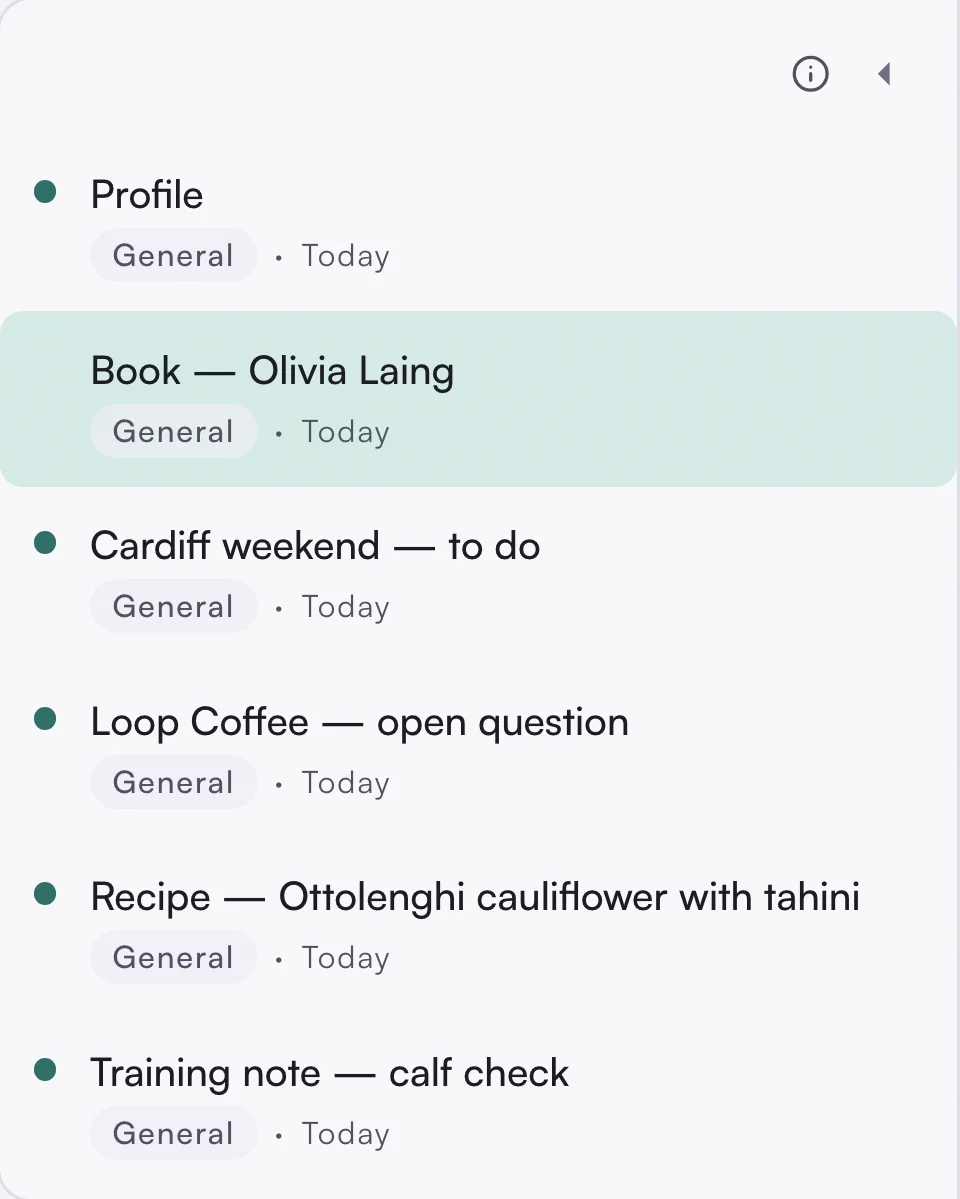
asambl's desktop inbox list holding six captures including a book recommendation marked Book, Olivia Laing, a Cardiff weekend to-do, a Loop Coffee open question, an Ottolenghi recipe, and a training note about a calf check, each tagged General and dated today.
The other end of the capture: everything caught on the go, waiting where the week gets planned.